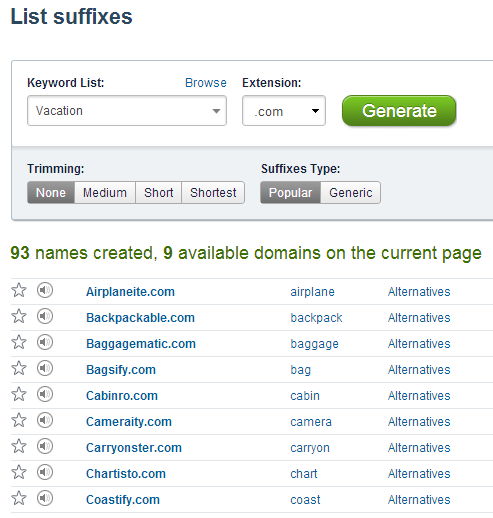
The List Suffixes search now has an option to choose between popular suffixes (such as io, ify, ly, isto) and generic nonsensical suffixes (such as eum, ead, sar, sen). Suffixes are added randomly each time you generate new results.
This new search option improves the chances of discovering valuable domains. For instance, by using the Travel List, we found in just few minutes such domains as Jetisto.com, Traills.com, Beachter.com, Voyagematic.com, Airfity.com, Flewter.com.
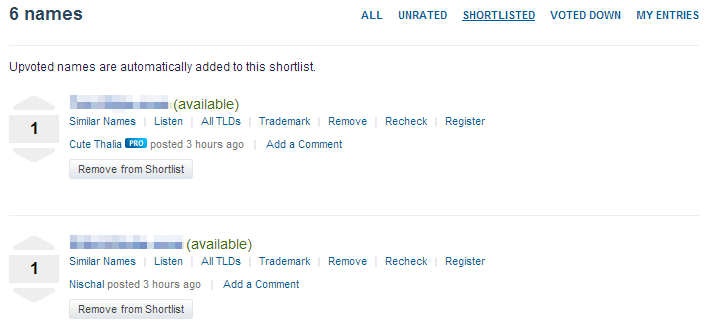
Recent updates to entries sorting had a negative effect on voting – Contest Holders started using voting to manage shortlisted entries, and downvoted entries that were originally upvoted – to narrow down their shortlist. Therefore we have separated shortlisting entries from voting.
Entries upvoted by CH-s are automatically added to their shortlist. To remove entries from the shortlist, CH-s have to click the Remove from Shortlist button, instead of downvoting the name. This way CH-s have a convenient way of selecting final candidates without affecting previously given votes and points.
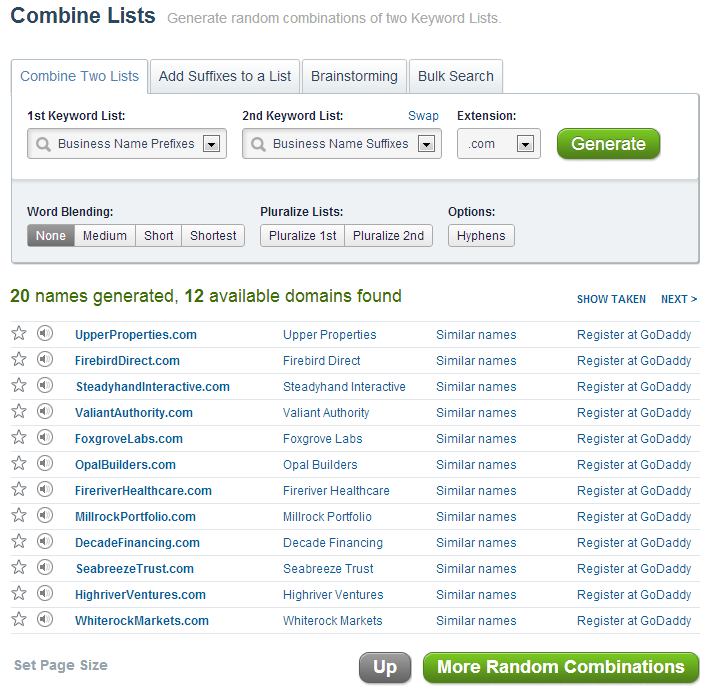
We’ve added a couple of new options for sorting and filtering contest entries:

- Unrated – gives the Contest Holders a better overview about which entries need to be rated.
- Voted Up/Down – filters by total score. Includes votes by other voters in addition to the Contest Holder.
- Contest Holder Votes – Up/Down votes cast by the Contest Holder only.
Participants can see the entries only after the contest has expired.
Starting today, payments of $100 are issued each time you’ve received another 1000 Points.
Previously we issued Paypal payments of $50 every time 500 Points was reached.
When a public contest has 0 votes, each participant can post up to 10 names. As soon as there is at least 1 vote, you can post more.
Contestants with a 30-day average vote ratio of less than 0.25 can only post 5 entries, before voting starts.
This gives a chance for contest holders to provide feedback and reduces the chance of getting too many irrelevant entries.
An update to the scoring system was released yesterday. Previously, when a name was posted to a Contest, an upvote by the name’s creator was added automatically. New names got 1 vote immediately after posting.
We have removed this automatic scoring, so now each new name has a base score of 0. Contestants cannot vote for their own entries. This has enabled us to make the database a bit faster. It has no effect on how Points are calculated.
As a heads-up, all contest participants should be working on improving their Up/Down votes ratio. Your 30-day average ratio will determine, how many entries you can post to a contest per day. These numbers may be subject to change:
- A ratio of less than 0.30 allows you to post 10 names to each contest per day
- A ratio of less than 0.20 allows you to post 5 names to each contest per day
Long-term contributors with the highest yearly average ratios may be eligible for bonus payments.
How to improve your Voting Ratio:
- Research the contest topic on Wikipedia to find related keywords
- Ask questions in the Contest discussion, if anything is unclear
- Use Onelook Reverse Dictionary to find related words
- Add Contest Keywords – everyone can do so, not just the contest holder
- Use the Techniques that the Contest Holder has liked – sometimes those are shown under the Techniques tab
- Come up with new creative techniques. Use Alliterations, Intersections, List Blending, Name Templates. It helps to know, which Lists are available at NameStation.
- See what kind of names are popular in the same niche. Use Google, LinkedIn and Crunchbase Categories to find out which keywords can be used.
As always, the purpose of these enhancements is to get higher quality entries for the contests and less noise. Based on the feedback, Contest Holders would rather like to get 50 relevant entries than 300 random ones.
Good luck with your domain search!
There is now a limit to how many entries each contestant can post to Public Contests, before voting has started. The reason being that the Contest Holders need to get a chance of providing feedback, before they receive hundreds of entries that may not be what they’re expecting.
Currently, each contestant can post up to 15 entries per Contest, if there are zero Votes. As soon as there is at least 1 Vote, you can post more. But you have to take into account the feedback from the Contest Holder and avoid posting the types of names that were voted down.
This also provides additional motivation for Contest Holders to start voting sooner, so that they could get more entries.
NameStation has launched several new features to help you find available domains more efficiently:
- Alliterative names search. Create names with the same beginning or ending as your word, e.g. PayPal or SoundHound.
- Overlapping words search. Append words that have overlapping parts with your keyword. Merge two dictionary words to create names like Pinterest (pin+interest).
- Business name generator. Generate names with words commonly used in compound business names.
- Name Templates. Find names with specific character patterns like LLLL etc.
- .COM.AU, .FR, .CO.NZ domain extensions added
There are now a total of 18 domain name search methods to generate any name type you can think of.
Ultra-fast bulk domain search, keyword suggestions, creativity enablers and a unique catalog of over 40K hand-picked available domains are just some of the features waiting to be discovered.
Get started at www.namestation.com and give it a try.
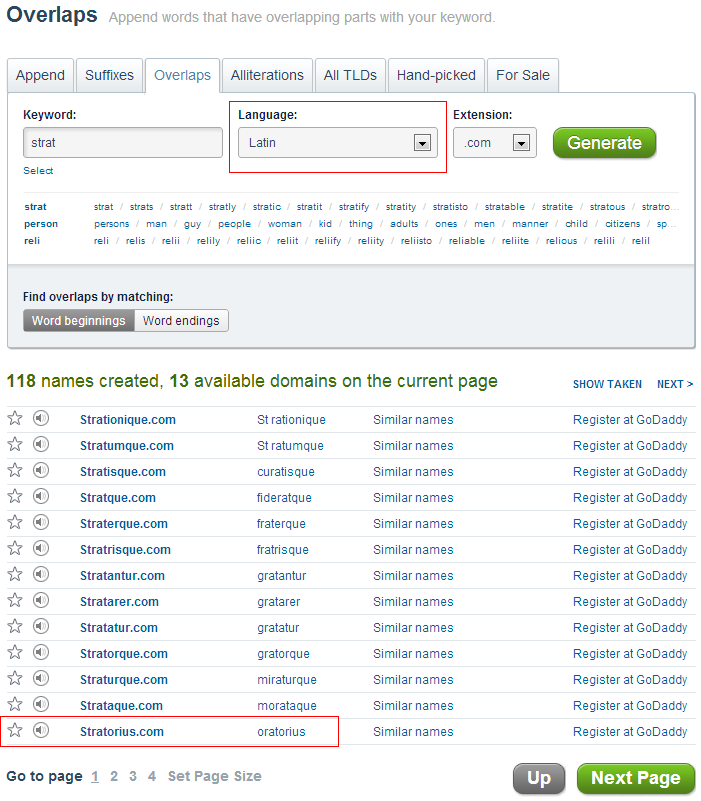
You can now select the language when generating domain names with Overlapping words or Alliterations.
In the example below, we’re looking for a name for a strategic consulting business. We want the name to reflect reliability, vision, intelligence, inspiration etc. So we combine partial words like “inspir”, “advis”, “strat”, “vision”, “smart” with the Latin dictionary (in addition to English).
Names based on Latin can usually be pronounced in English. This results in generated names like Visionis, Visionatus, Stratorial, Inspirium, Smartimus.